Instruction

Click any of the left buttons to view the model. Click circle arrow to return.
Kích chuột vào các nút bên trái để xem model.

Swipe or Pinch on model to rotate or zoom model.
Vuốt hoặc mở và khép 2 ngón tay để xoay hoặc phóng to thu nhỏ mô hình.

Pull slider to cut the model
Kéo thanh trượt để cắt mô hình.

Tap Person icon then tap walk icon to go for mobile devices | Desktop: Double click on the floor to go .
Tap vào bt Người tap tiếp bt bàn chân để đi| Máy bàn: Kích chuột trái trên sàn để đi
In Free Mode

Click any part of the robot to enable editing menu and show the moving/rotation triggers.

Click on the colored buttons in the right bottom corner to change color of the selected part.
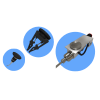
Click on any type of the nozzles in the left bottom corner of the screen to connect it to the robot.

This button switches between individual part or the whole robot coloring mode.